

On-Call
Get the right person paged, every time
Build on-call schedules with rotation layers and overrides, define escalation policies that keep going until someone acknowledges, and verify shifts before coverage gaps show up in production.
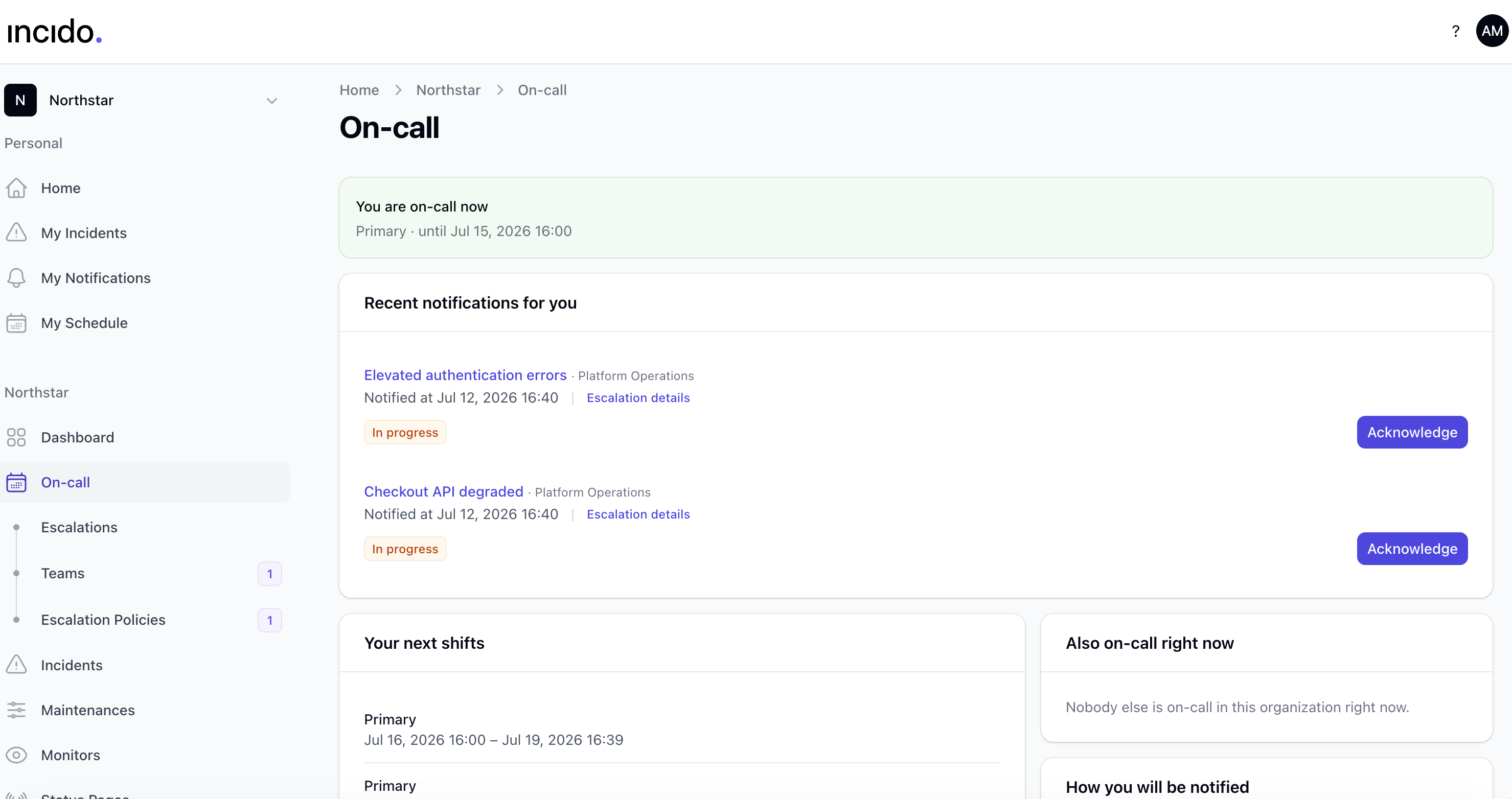
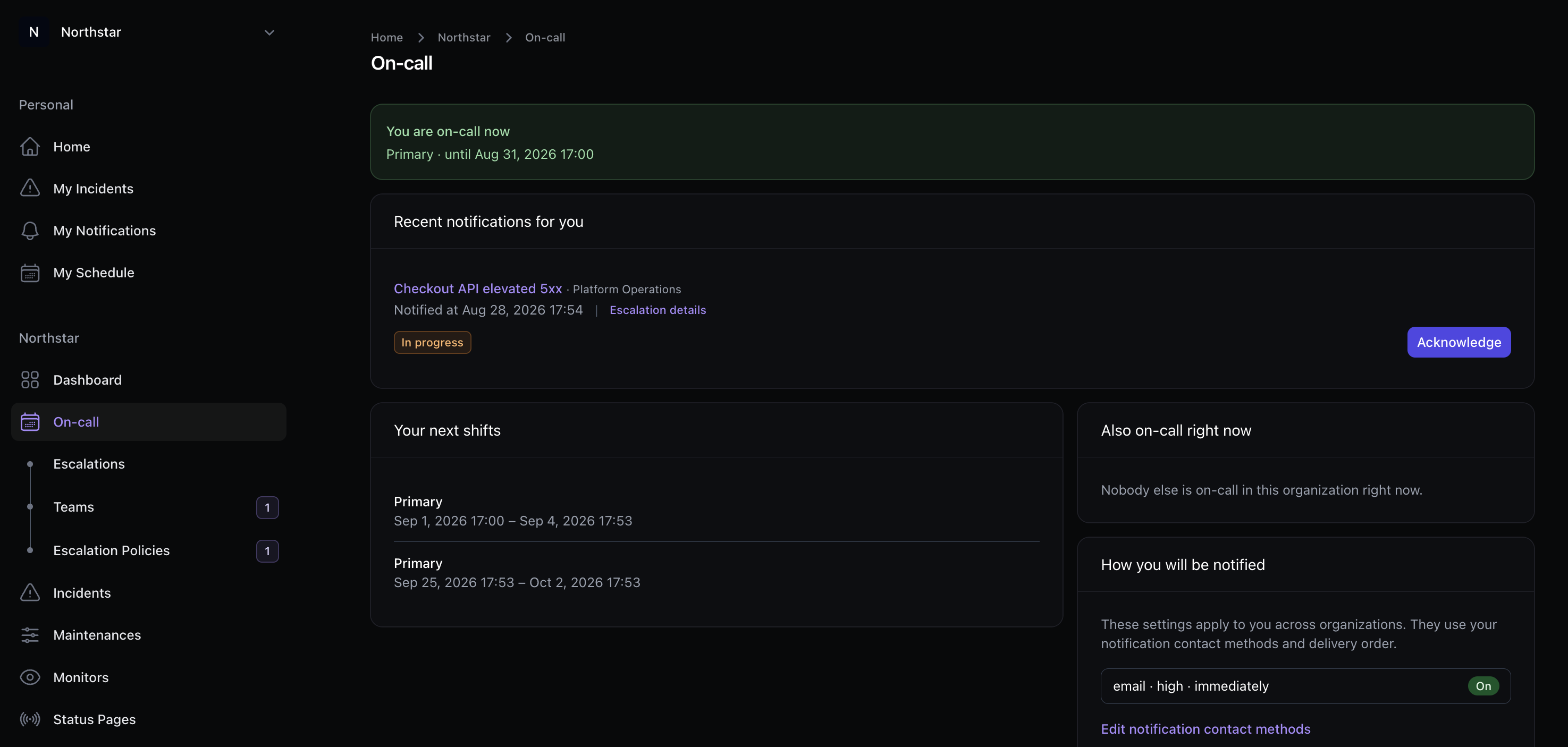
Schedules, policies, and paging live next to your incidents, not in a separate tool.
Schedules & rotations
Layer primary and secondary rotations, set timezones per schedule, and keep coverage continuous across handoffs.
Overrides without drama
Swap coverage for vacations or incidents without rewriting the whole rotation. Overrides stay visible and auditable.
Escalation policies
Define who gets paged, in what order, and how fast. If nobody acknowledges, the next step fires automatically.
Shift verification
Confirm responders are ready before a shift starts, so you catch missing coverage before the alert fires.
Teams & rosters
Group responders into teams that own schedules and policies. Bring in a teammate or schedule mid-incident when you need backup.
Timeline acknowledgements
Every page and acknowledgement lands on the incident timeline, so responders and stakeholders share one source of truth.
Escalation that matches how your team works
Route through policy, not a spreadsheet
When an incident needs a human, Incido resolves the current on-call from your schedule and walks the escalation policy step by step.
Keep going until someone owns it
Missed pages advance automatically. Final steps can page an entire team so critical alerts never die in a single inbox.
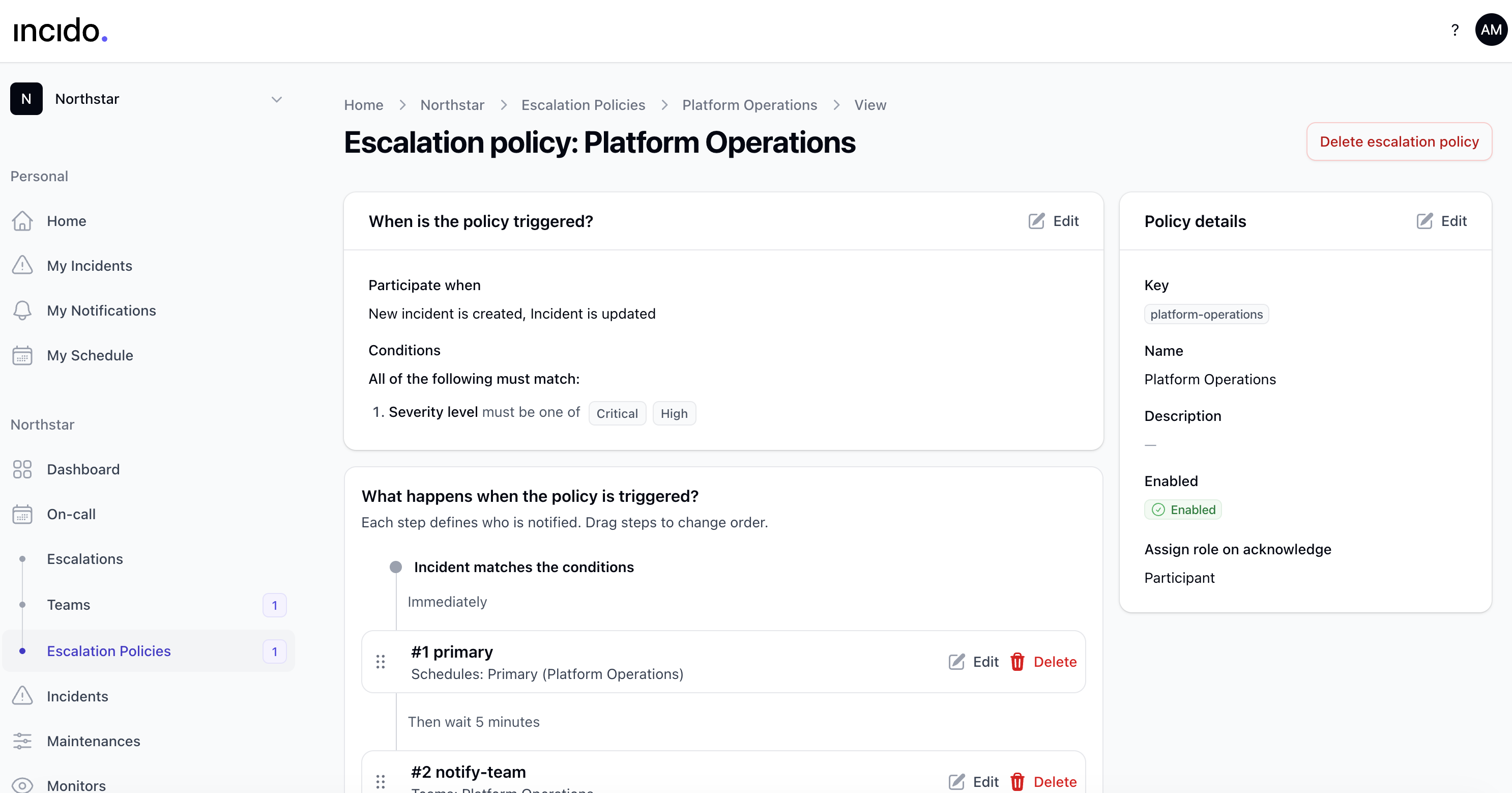
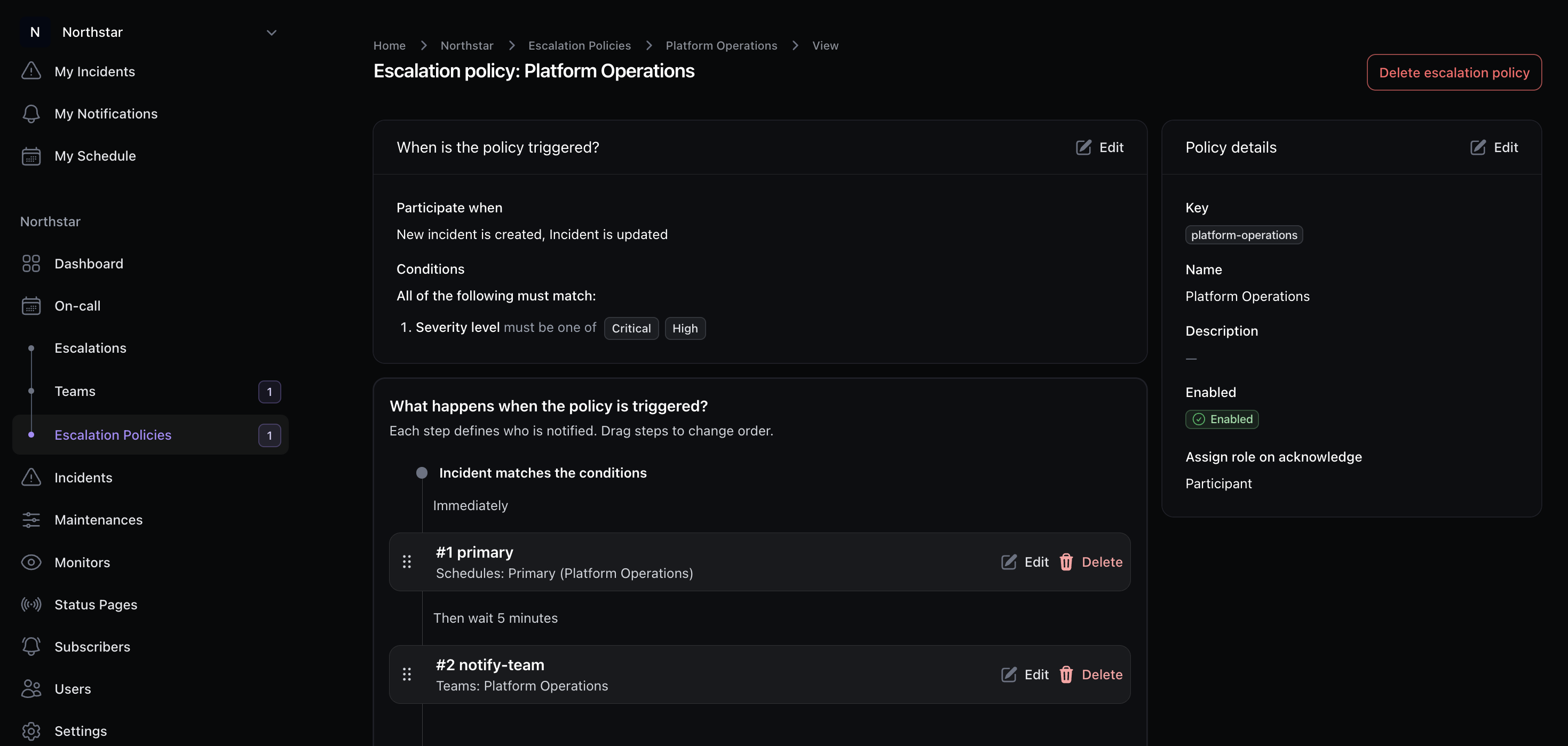
Schedules that match real-world handoffs
Rotations, layers, and overrides
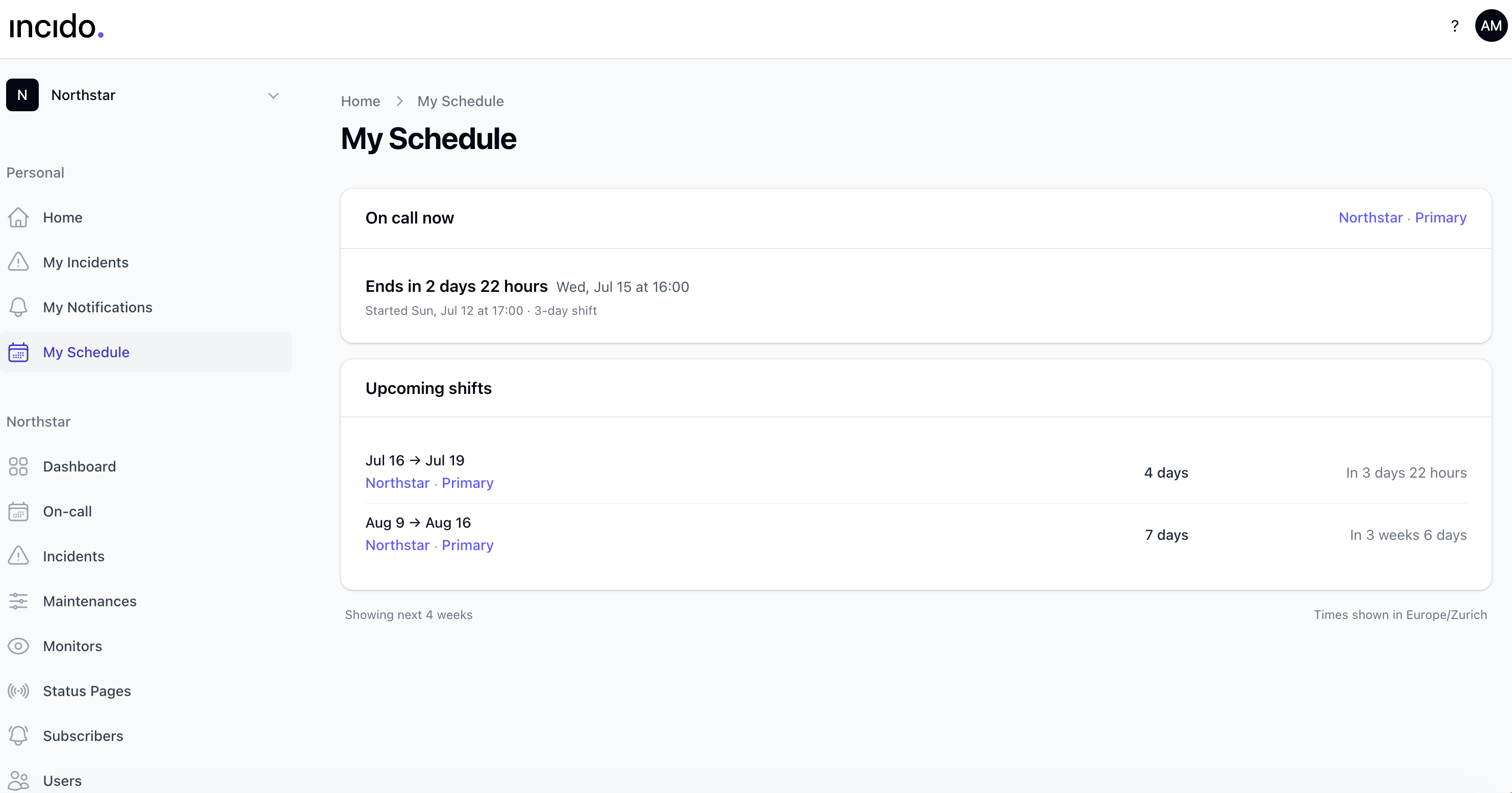
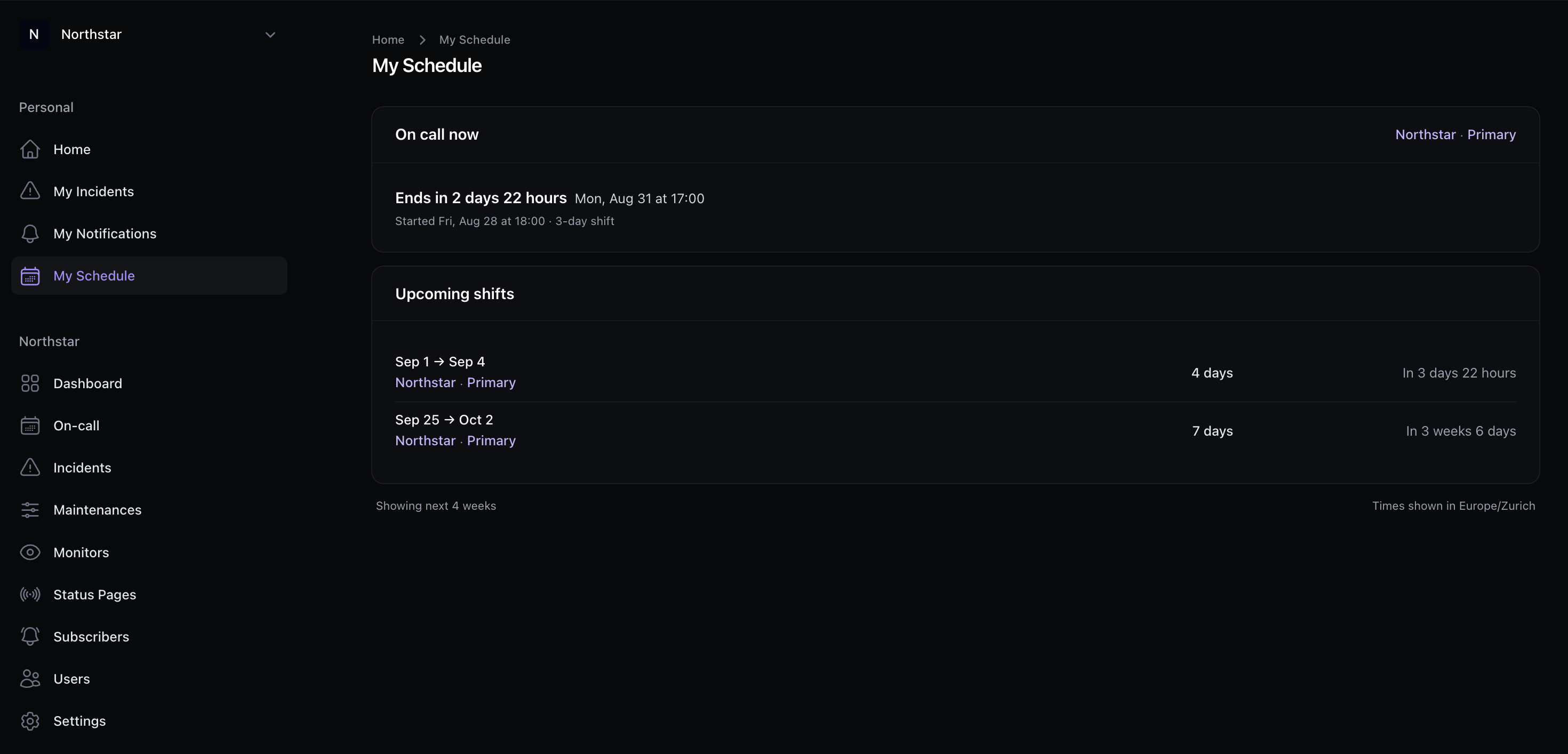
Stack rotation layers, set handoff times per schedule timezone, and add overrides when someone is out, without rebuilding the whole roster.
Coverage you can see
Materialized shifts show who is on call now and next. Overrides stay visible so handoffs do not surprise the team.
Catch coverage gaps before alerts fire
Verify before the shift starts
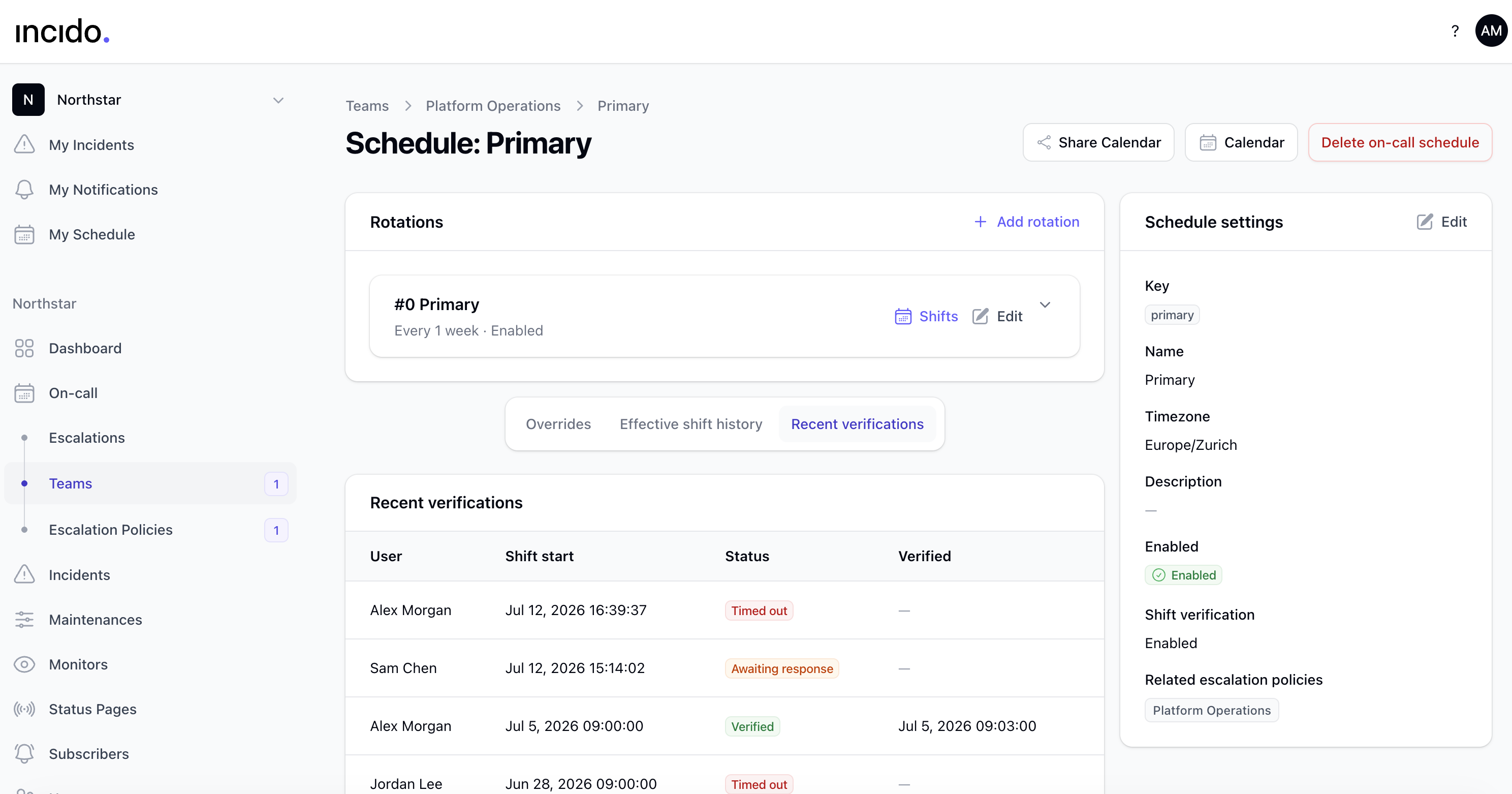
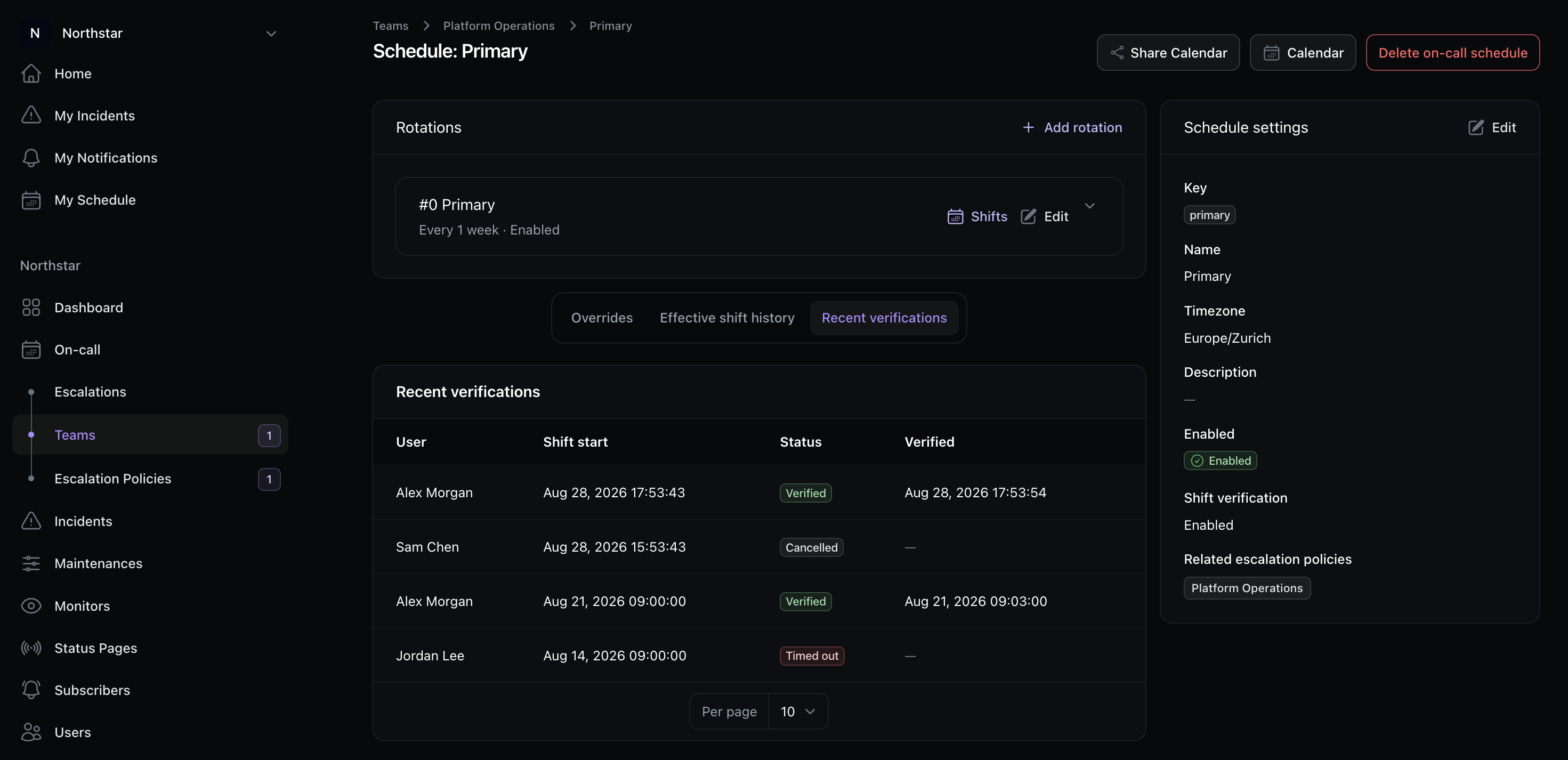
Shift verification pings responders before coverage begins so missing contact methods or vacation gaps surface early.
Audit every response
Recent verifications show who confirmed, who timed out, and who still needs to respond, right on the schedule.
Platform
Works with the rest of Incido
On-call is one pillar. Incidents and status pages complete the loop.
FAQ
On-call FAQs
Schedules, paging, and how monitoring tools fit in.
Do I need PagerDuty or another paging tool?
No. Incido includes on-call schedules, escalation policies, rotations with overrides, and shift verification starting on the Starter plan. You don't need a separate paging product.
How do monitoring tools fit in?
Datadog, New Relic, Grafana, and other tools can create incidents via API or webhooks. Incido then pages the right responder using your schedules and escalation policies.
Can I page someone outside the normal rotation?
Yes. During an active incident you can bring in an individual, a team, or another on-call schedule without changing the standing escalation policy.
Ready to retire the spreadsheet rotation?
Start a free trial and set up your first on-call schedule in minutes.