New

Free guides on incident management, on-call, and status pages. Browse resources

Incident Management, On-Call, and Status Pages — in one place

Get paged.
Respond fast.
Keep customers informed.

Route alerts to the right responder with on-call schedules and escalation policies, manage every incident through a clear structured workflow, and communicate with real-time status pages your customers actually trust.

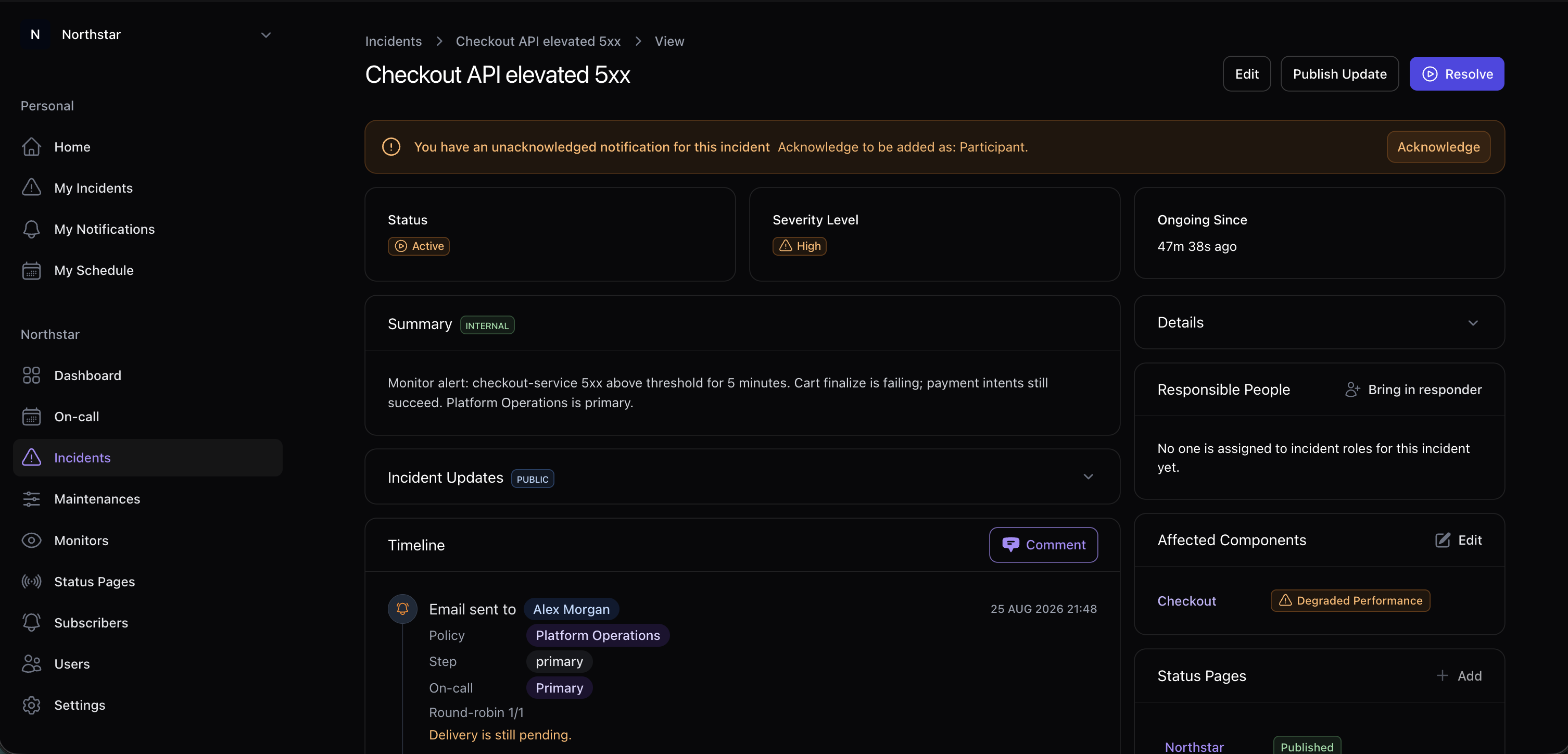
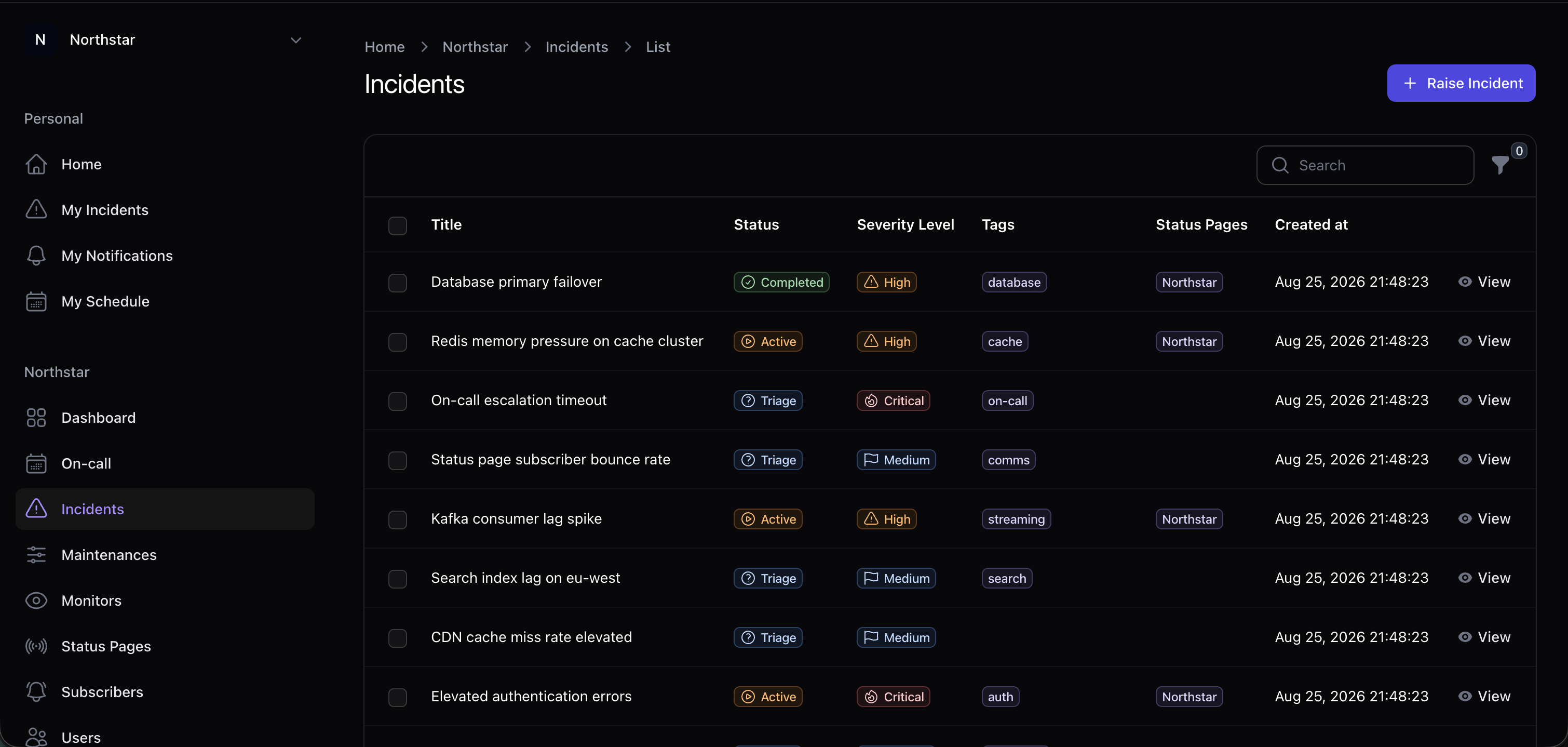
Incido incidents list showing status and severity

Trusted by engineering teams

4
Incident Stages
99.9%
Uptime SLA
<5 min
Setup Time
3+
Integrations

Everything you need for incident management

From the moment an issue is detected through resolution and follow-up, Incido has you covered.

Structured Incident Lifecycle

Move incidents through Triage, Active, Post-Incident, and Closed stages with defined status transitions and automated workflows.

On-Call Scheduling & Rotations

Build on-call schedules with multiple rotation layers, handle overrides without breaking coverage, and verify shifts before they start.

Escalation Policies

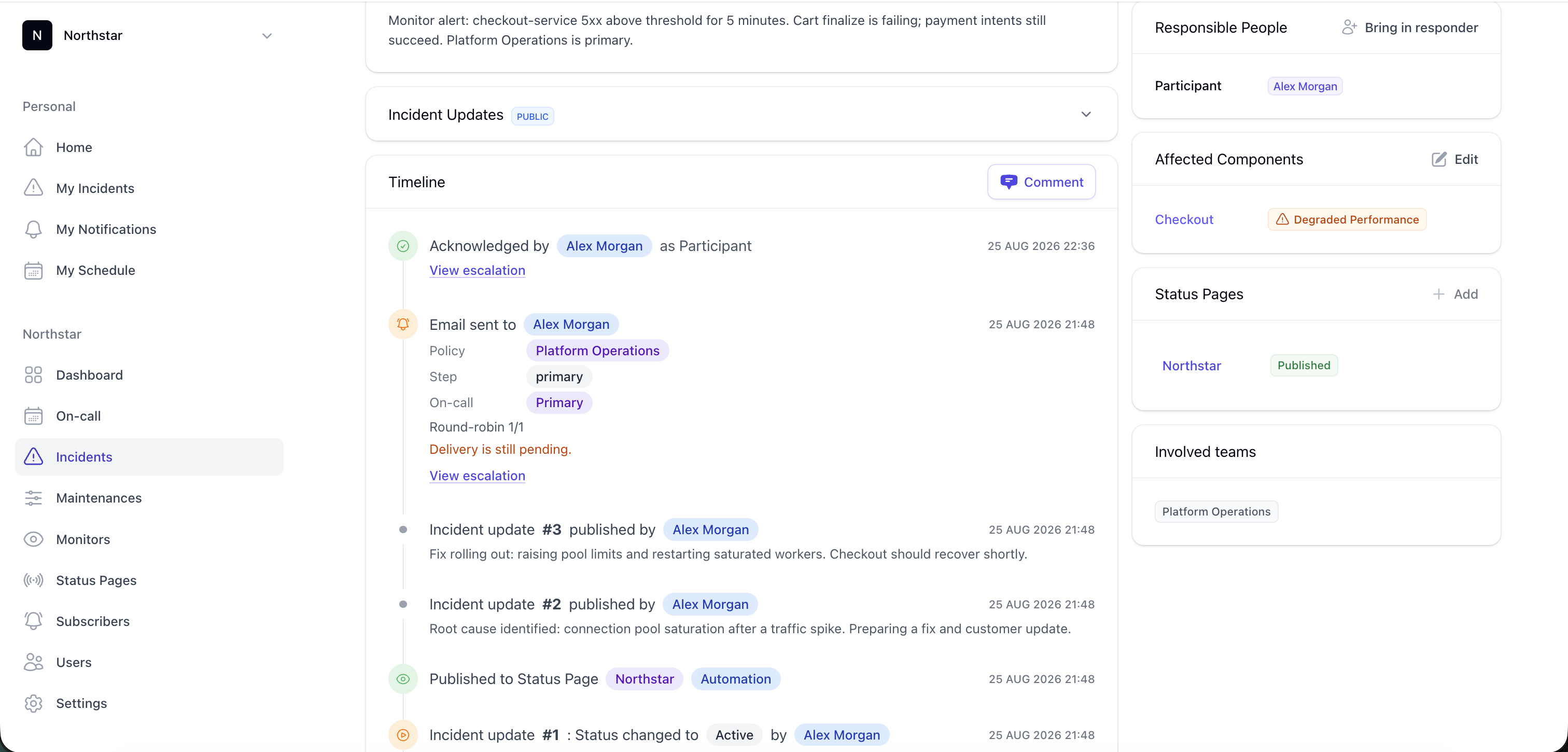
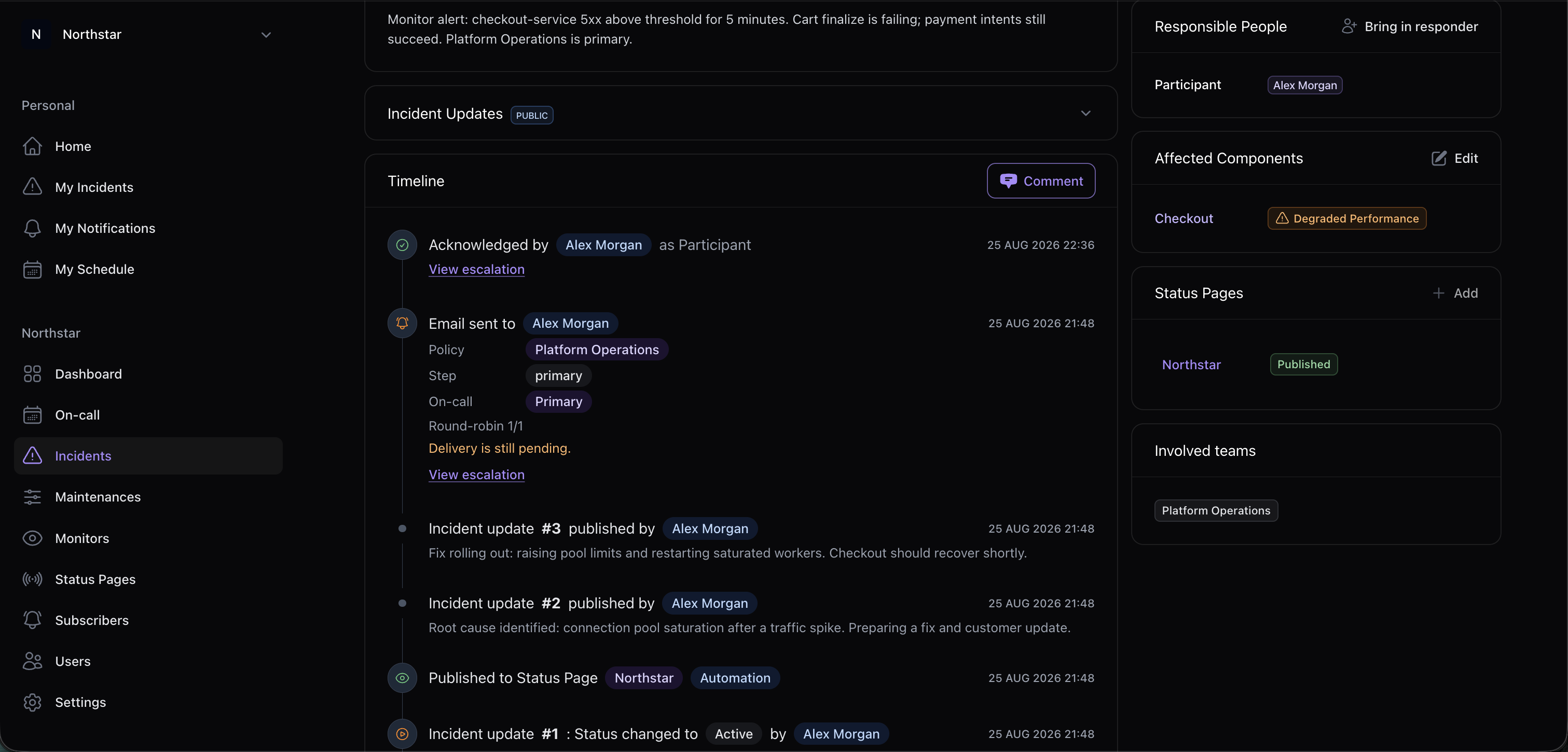
Define who gets paged, in what order, and how fast. Escalate automatically when nobody acknowledges — notify a whole team on the final step if needed.

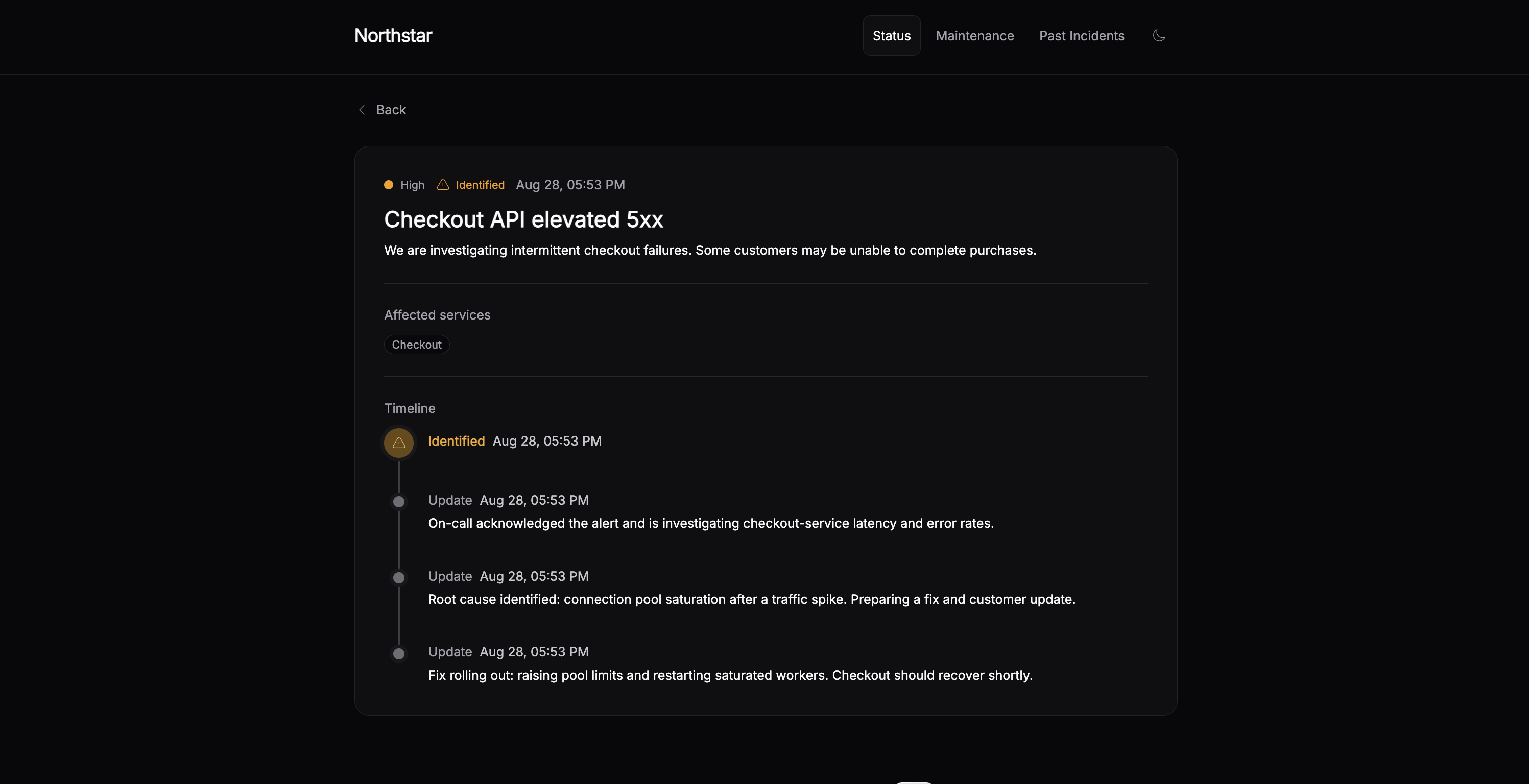
Branded Status Pages

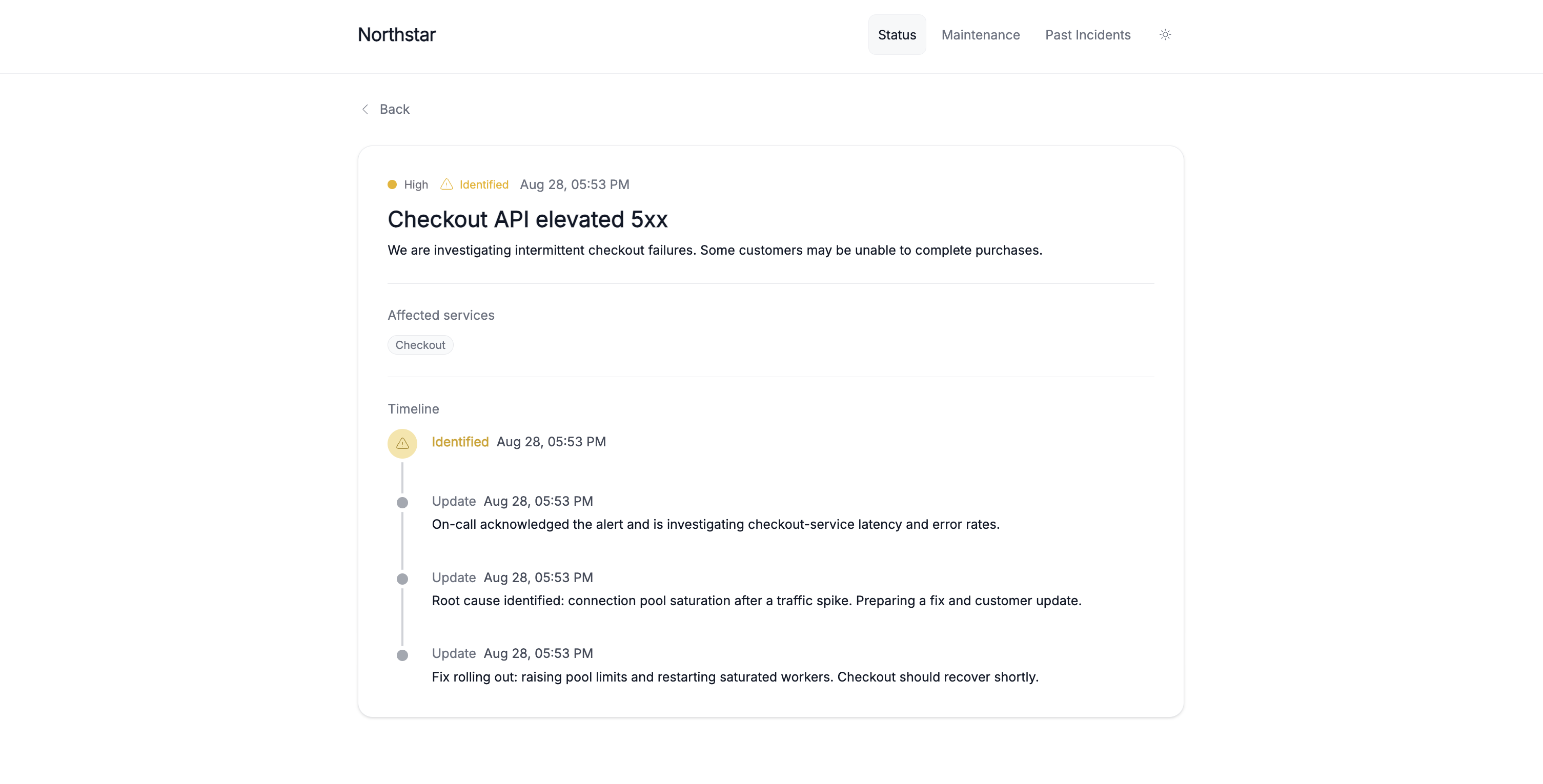
Create beautiful, fully customizable status pages that match your brand. Custom colors, layouts, and messaging — all under your domain.

Real-Time Updates

Publish incident updates instantly. Subscribers get notified by email as your team progresses through resolution.

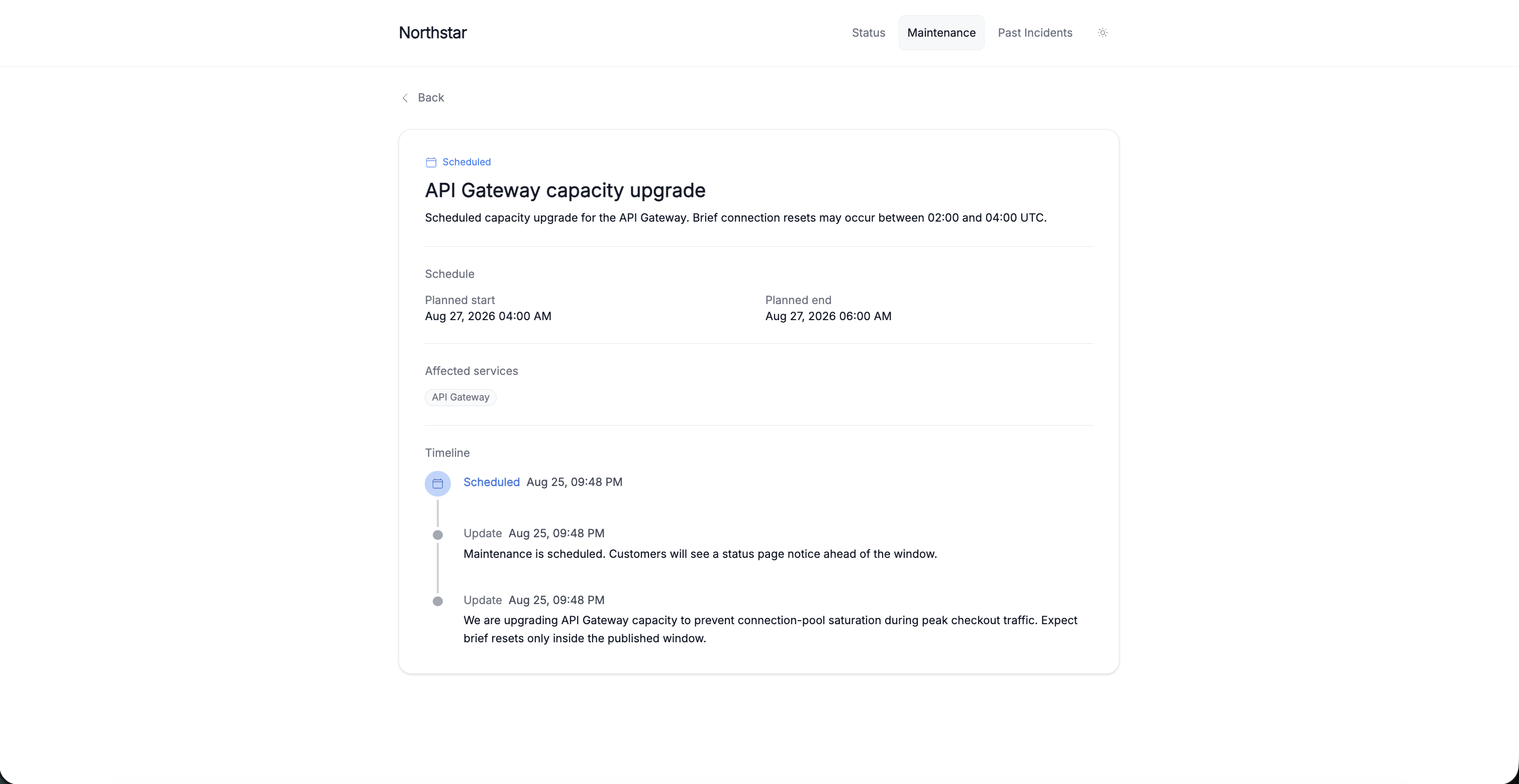
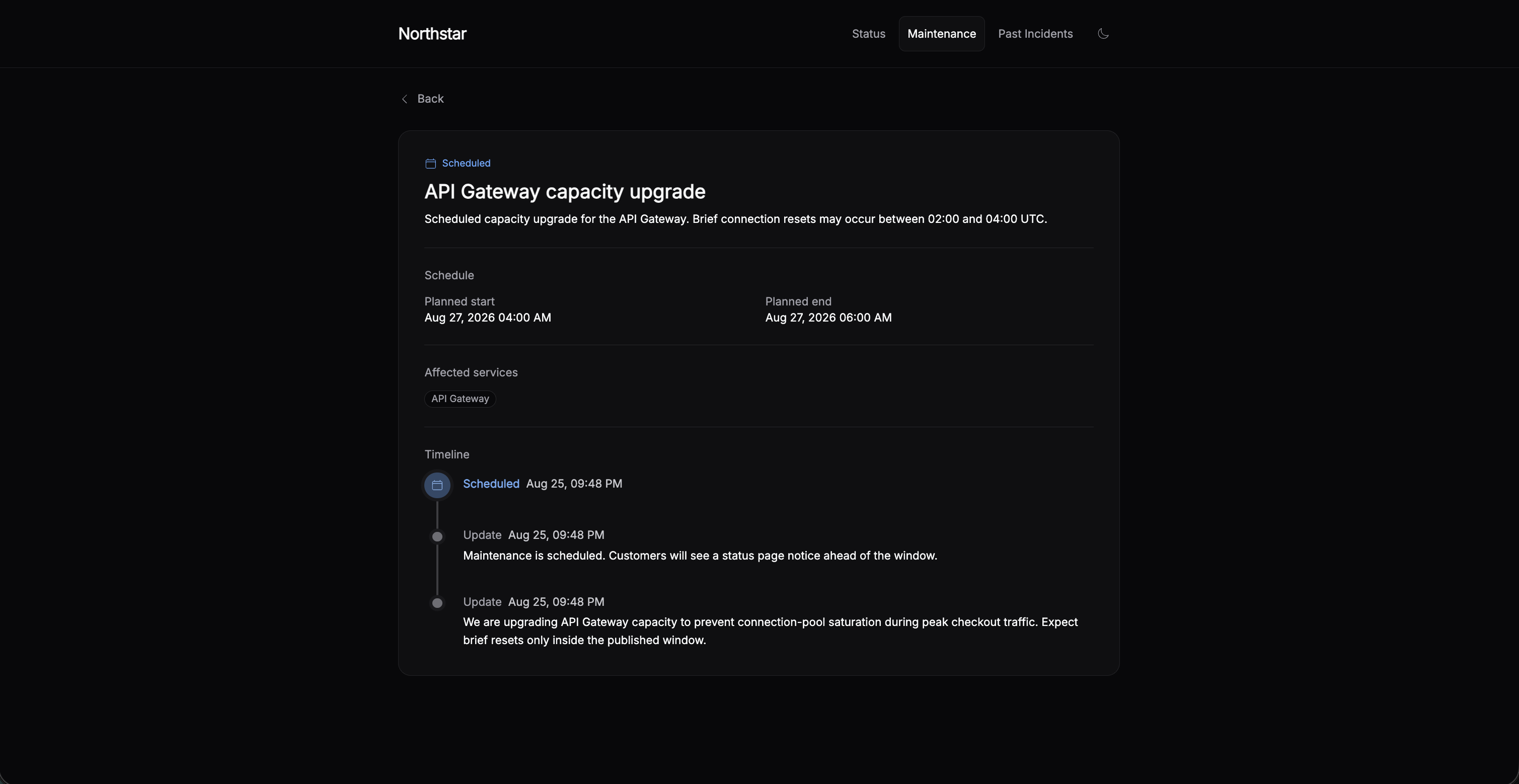
Scheduled Maintenance

Plan maintenance windows with auto-start/end, incident suppression, and proactive customer notifications.

How Incido works

An opinionated approach to incident management — built from real-world experience.

From detection to resolution
in a structured, repeatable way

Detect & Triage

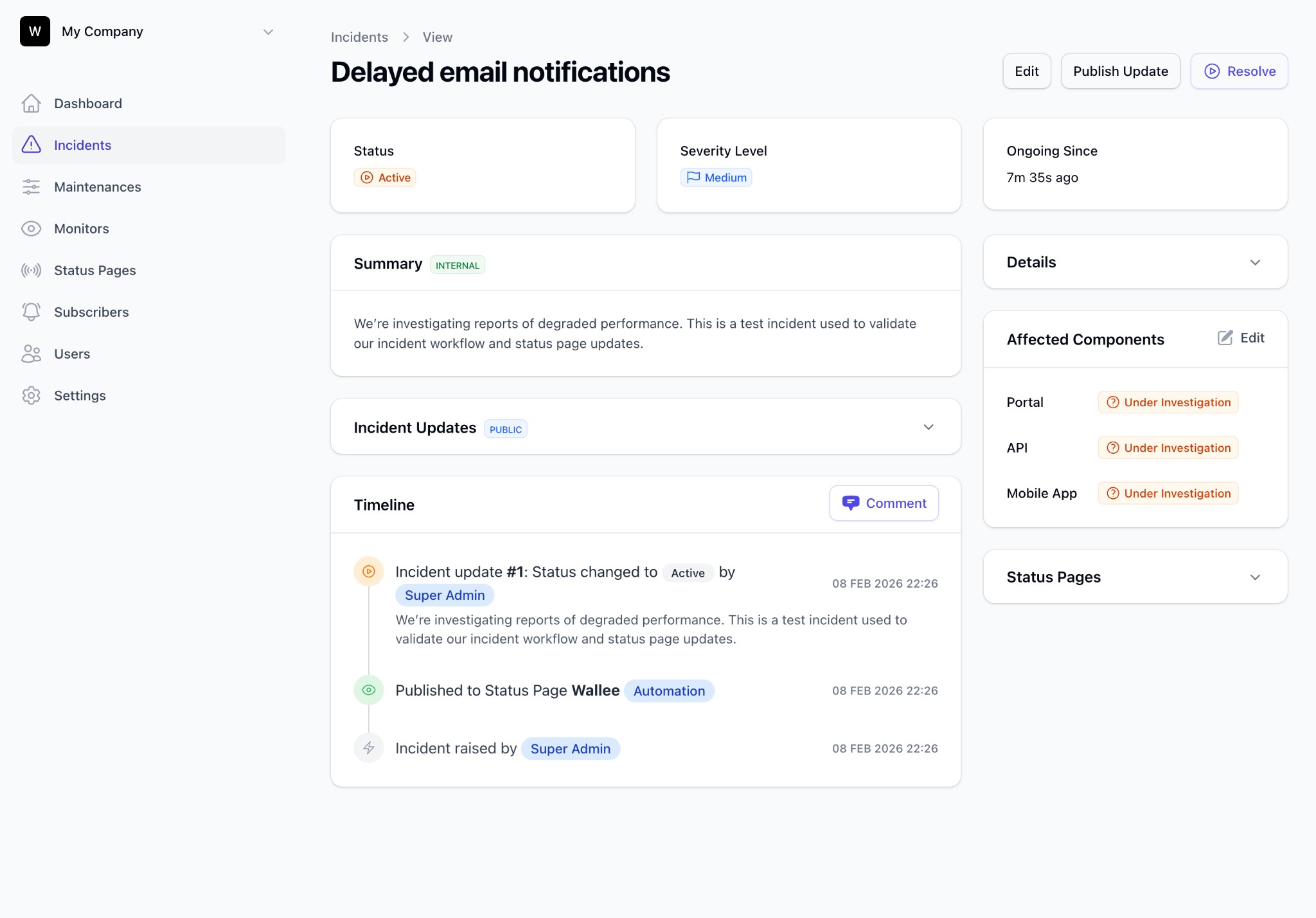
Incidents are created manually, via API, or automatically from your monitoring tools. Deduplication prevents noise. Every incident starts in Triage for assessment.

Activate & Communicate

Move confirmed incidents to Active. Publish status updates, notify subscribers, and track affected components — all from one place.

Escalate & Notify
so the right person gets paged

On-call schedules & policies

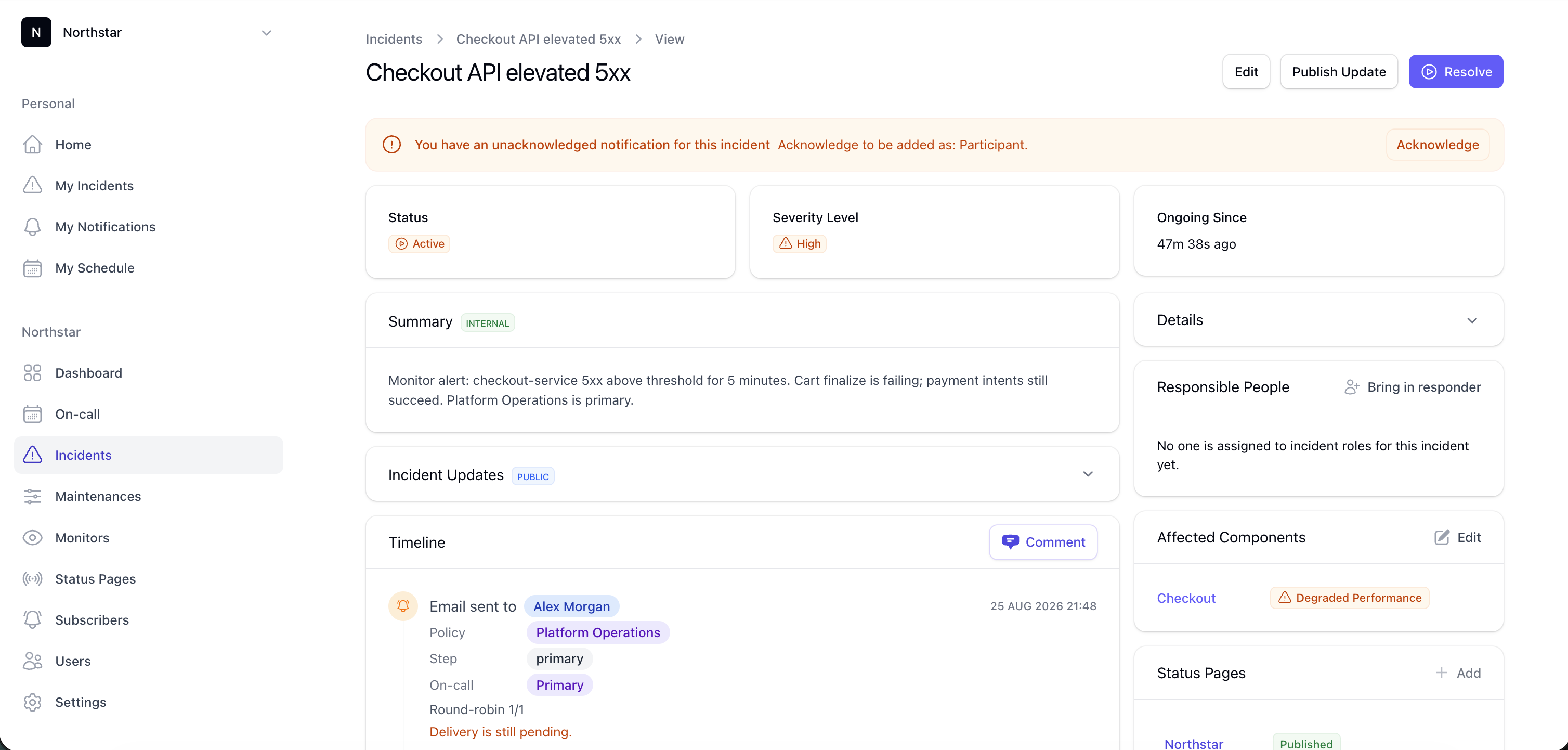
When an incident needs a human, Incido routes it through your on-call schedule and escalation policy — not a spreadsheet. Pages go out over the configured channel.

Acknowledge & auto-escalate

Acknowledgements are tracked on the incident timeline. If nobody responds in time, the next step fires automatically — including paging a whole team on the final step if needed.

Beautiful status pages
that build customer trust

Your brand, your page

Customize every aspect of your status page — colors, logo, fonts, and components. Your status page should feel like a natural extension of your product.

Multi-language & Multi-page

Serve different audiences with multiple status pages per organization. Each page can show different components, layouts, and branding.

Proactive maintenance
that keeps customers informed

Scheduled maintenance made easy

Plan maintenance windows with Draft → Scheduled → In Progress → Closed stages. Auto-start and auto-end keep everything on track — even when you forget.

Incident suppression

During planned maintenance, suppress automatic incident creation to avoid false alarms. Your monitoring stays active while noise stays down.

Free Engineering Incident Toolkit

Eight copy-ready templates — incident response, timelines, status page copy, maintenance, on-call, escalation, severity, and runbooks. Download as Markdown, no signup.

Frequently Asked Questions

Does Incido handle on-call and paging natively?

Yes. Incido includes on-call schedules, escalation policies, rotations with overrides, and shift verification on every plan starting at Starter. You don't need a separate paging tool.

How customizable are the status pages?

Fully customizable. You can change colors, fonts, logos, layout, and messaging to match your brand. Each organization can have multiple status pages with different configurations.

Can I integrate Incido with my existing monitoring tools?

Yes — Incido can create incidents automatically via API and webhooks from tools like Datadog, New Relic, and Grafana, and its own on-call schedules and escalation policies handle who gets paged from there.

What happens during a planned maintenance window?

You can schedule maintenance with auto-start/end, notify subscribers in advance, and optionally suppress automatic incident creation during the window to reduce noise.

How does incident deduplication work?

Incidents with the same deduplication key in Active or Triage stages are automatically merged, preventing duplicate alerts from flooding your dashboard.

Can I use my own domain for the status page?

Yes. Professional and Enterprise plans support custom domains with full DKIM email authentication for your notification emails.

Is there a free trial?

Yes — every plan comes with a 14-day free trial. No credit card required. You can explore all features before committing.
Ready to streamline your incident response?

Join engineering teams that trust Incido to keep their customers informed and their incidents under control.