

Incident Management Made Simple
Respond faster.
Communicate clearly.
Resolve with confidence.
Keep your customers informed with real-time status pages that show exactly what's happening and what you're doing about it.
Trusted by engineering teams
Everything you need for incident management
From the moment an issue is detected to the final post-mortem, Incido has you covered.
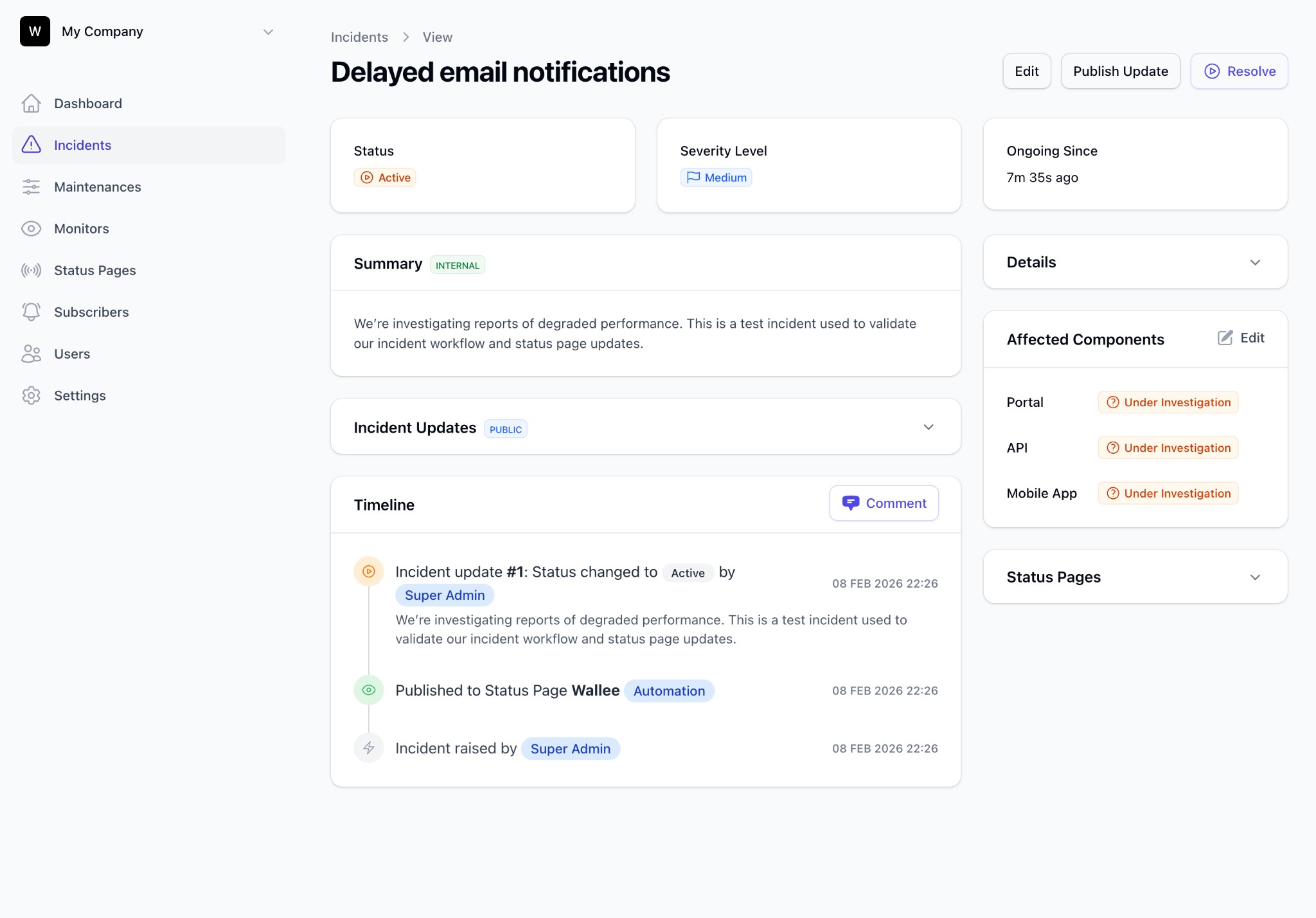
Structured Incident Lifecycle
Move incidents through Triage, Active, Post-Incident, and Closed stages with defined status transitions and automated workflows.
Branded Status Pages
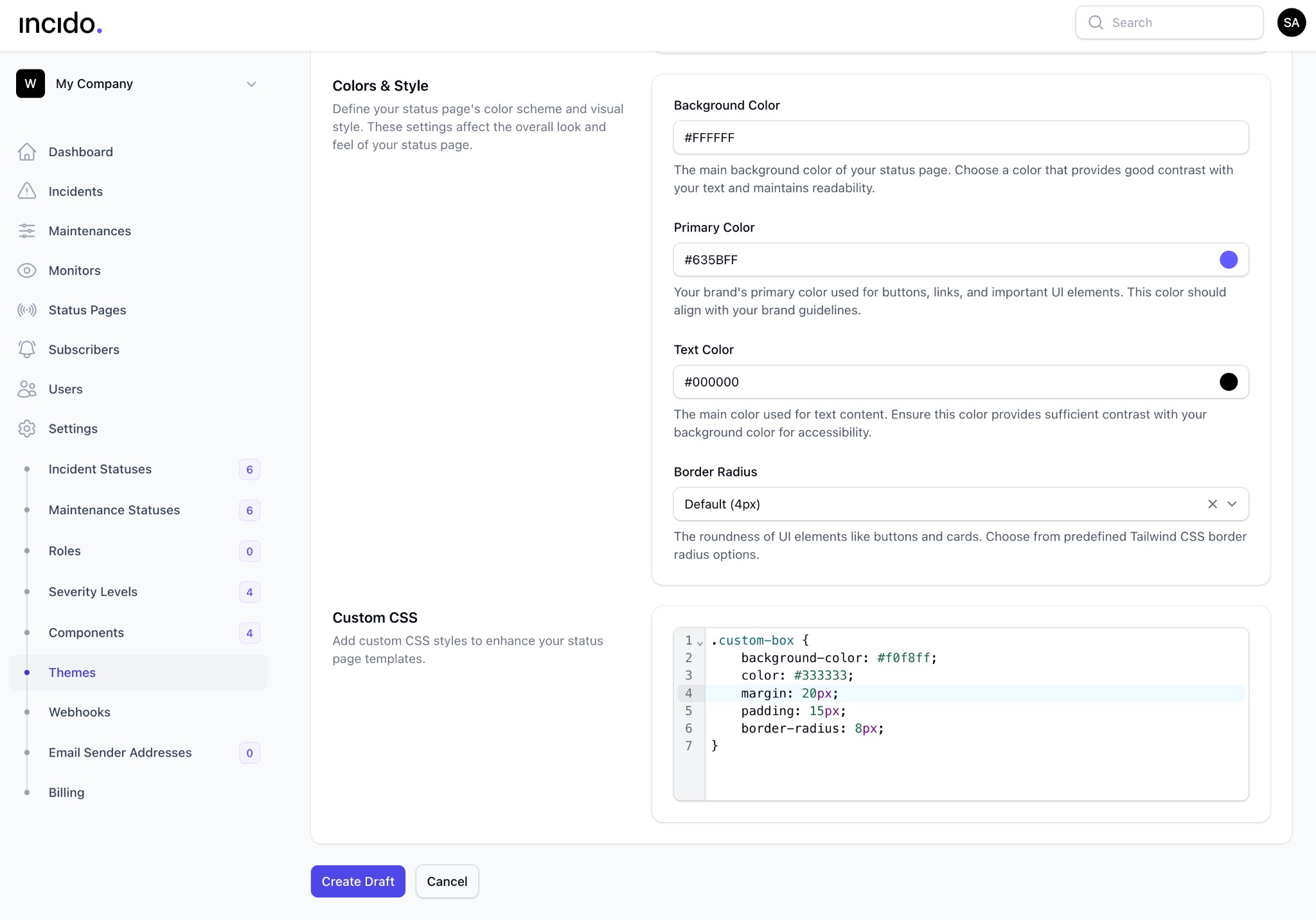
Create beautiful, fully customizable status pages that match your brand. Custom colors, layouts, and messaging — all under your domain.
Real-Time Updates
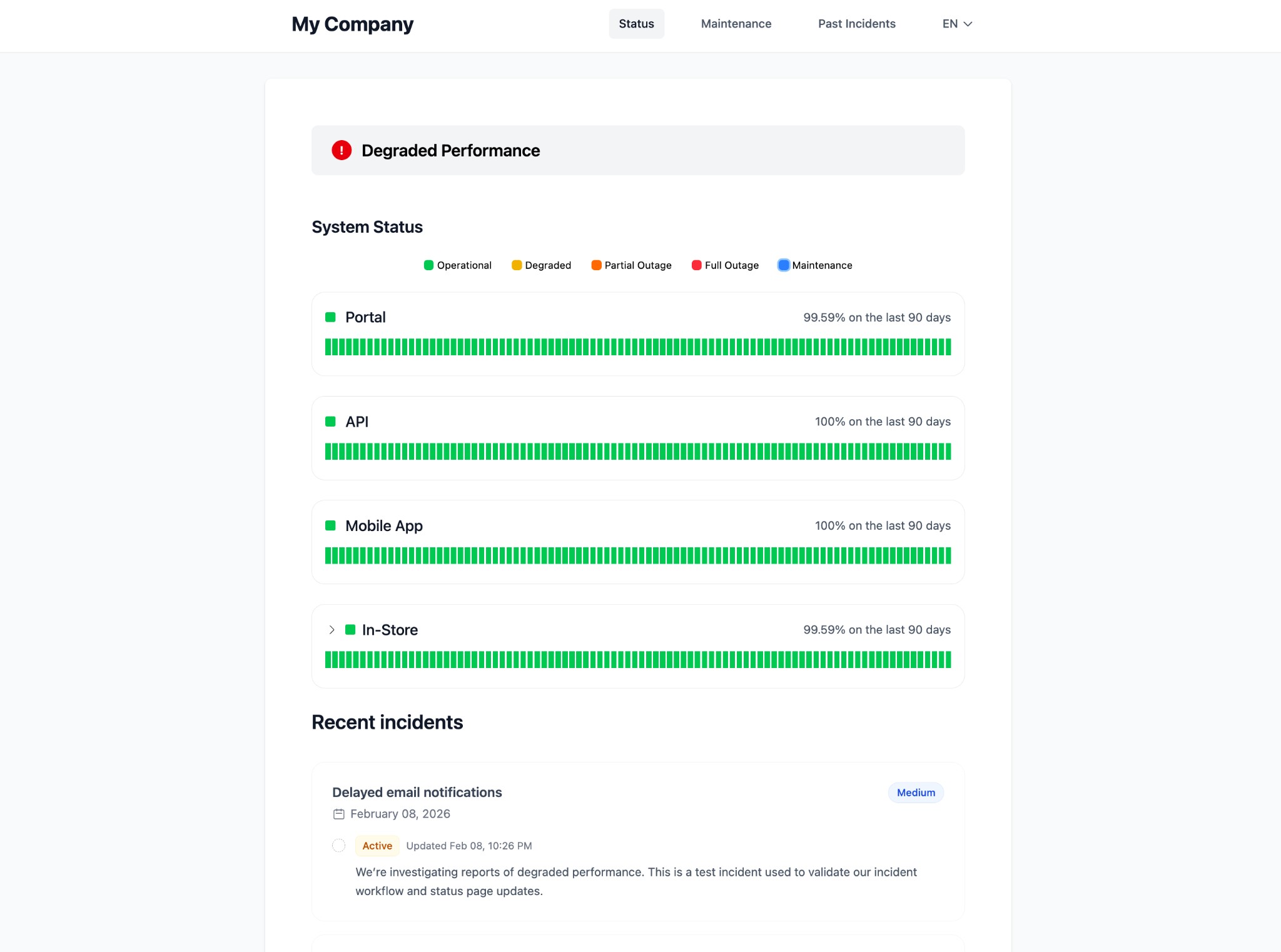
Publish incident updates instantly. Subscribers get notified by email as your team progresses through resolution.
Component Monitoring
Track the health of individual system components. Automatically update component status based on active incidents and maintenance.
Scheduled Maintenance
Plan maintenance windows with auto-start/end, incident suppression, and proactive customer notifications.
Severity & Workflows
Define custom severity levels, status transitions, and workflows that match your organization's incident response process.
How Incido works
An opinionated approach to incident management — built from real-world experience.
From detection to resolution
in a structured, repeatable way
Detect & Triage
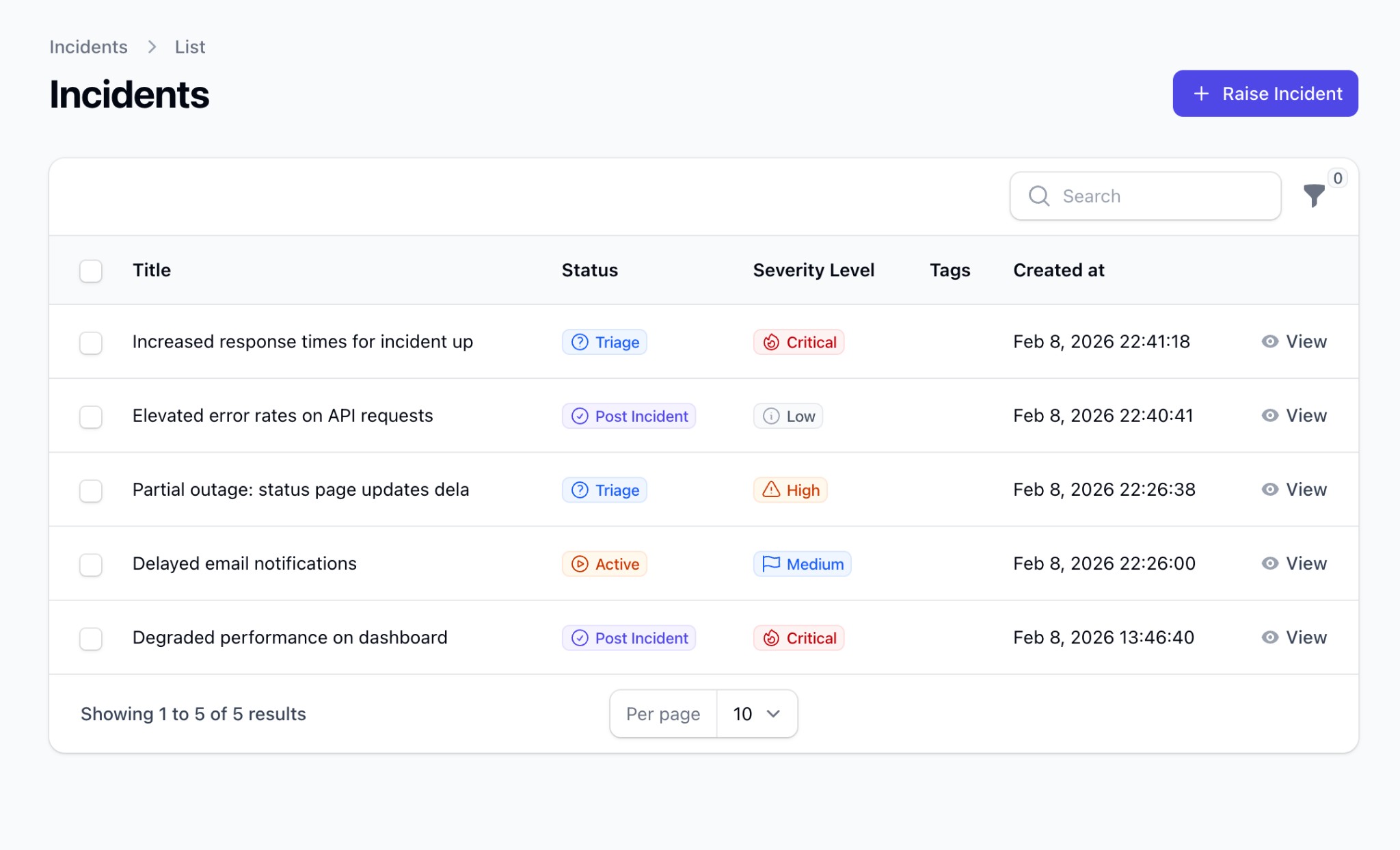
Incidents are created manually, via API, or automatically from your monitoring tools. Deduplication prevents noise. Every incident starts in Triage for assessment.
Activate & Communicate
Move confirmed incidents to Active. Publish status updates, notify subscribers, and track affected components — all from one place.
Beautiful status pages
that build customer trust
Your brand, your page
Customize every aspect of your status page — colors, logo, fonts, and components. Your status page should feel like a natural extension of your product.
Multi-language & Multi-page
Serve different audiences with multiple status pages per organization. Each page can show different components, layouts, and branding.
Proactive maintenance
that keeps customers informed
Scheduled maintenance made easy
Plan maintenance windows with Draft → Scheduled → In Progress → Closed stages. Auto-start and auto-end keep everything on track — even when you forget.
Incident suppression
During planned maintenance, suppress automatic incident creation to avoid false alarms. Your monitoring stays active while noise stays down.
Frequently Asked Questions
How customizable are the status pages?
Fully customizable. You can change colors, fonts, logos, layout, and messaging to match your brand. Each organization can have multiple status pages with different configurations.
Can I integrate Incido with my existing monitoring tools?
Yes. Incido supports incident creation via API and webhooks, so you can connect it with PagerDuty, Datadog, New Relic, Grafana, and any tool that can make HTTP requests.
What happens during a planned maintenance window?
You can schedule maintenance with auto-start/end, notify subscribers in advance, and optionally suppress automatic incident creation during the window to reduce noise.
How does incident deduplication work?
Incidents with the same deduplication key in Active or Triage stages are automatically merged, preventing duplicate alerts from flooding your dashboard.
Can I use my own domain for the status page?
Yes. Professional and Enterprise plans support custom domains with full DKIM email authentication for your notification emails.
Is there a free trial?
Yes — every plan comes with a 14-day free trial. No credit card required. You can explore all features before committing.
Ready to streamline your incident response?
Join engineering teams that trust Incido to keep their customers informed and their incidents under control.